.svg)


Be the business that never misses a beat.


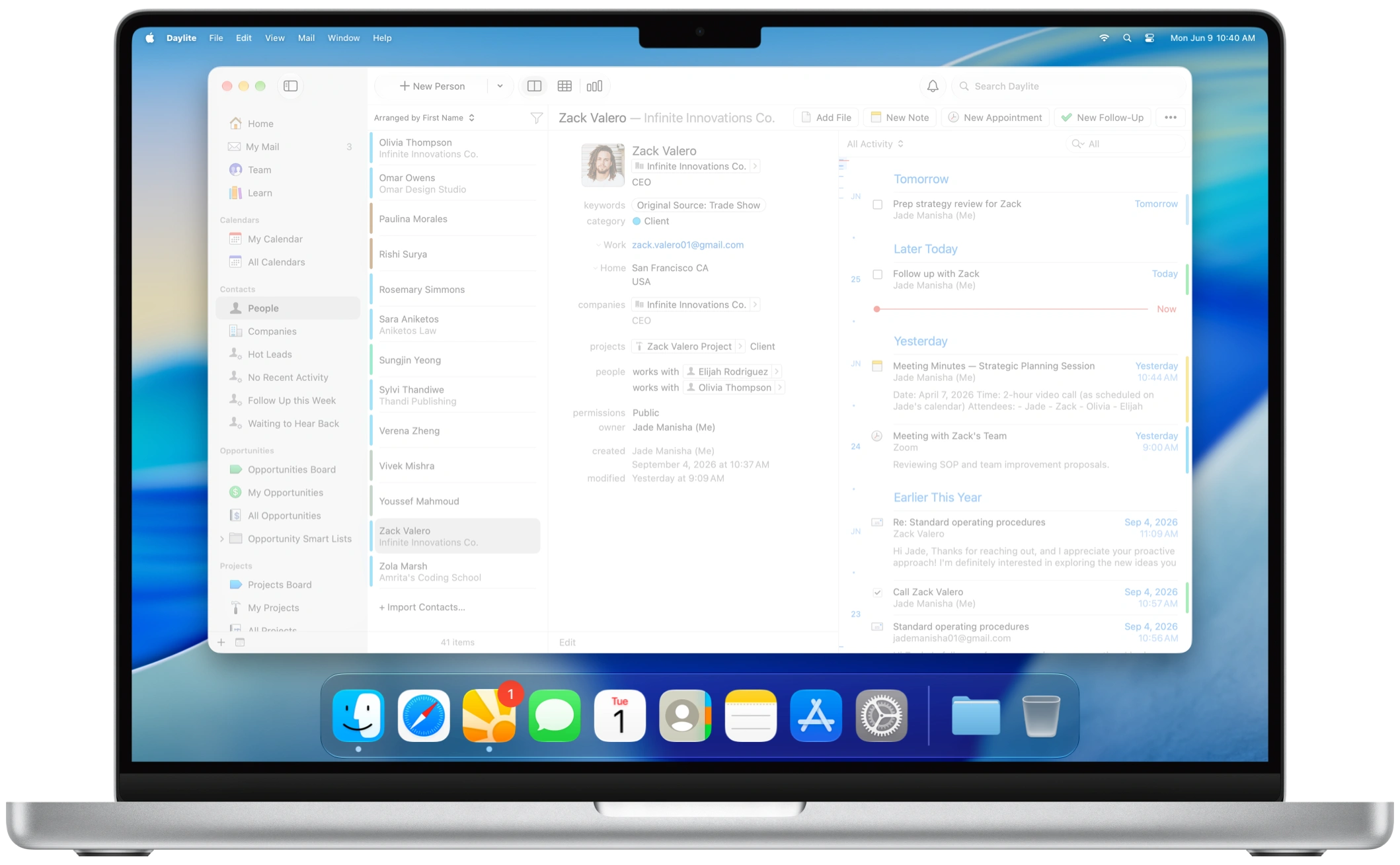

“We’ve seen amazing growth and Daylite has been a pivotal part of that success by allowing us to really ramp up our capacity and keep track of everything.”
“Daylite has enabled us to track more than four times the productions than we used to."
"With 30-50 weddings a year, I can’t keep track of it all in my head. Daylite holds me more accountable than I could be on my own."
"With Daylite I spend less time on operation stuff and more time on my clients."
"A total game-changer I could not do without."
“As we’ve grown from 3 to 10 employees over the last few years, Daylite has allowed us to scale and work across three parallel businesses.”
"I no longer have to hold everything together with mental brainpower like I was with my inbox and spreadsheets."
"Simply put, Daylite creates order out of what would otherwise be chaos."
"Daylite makes it much easier for us to follow up on our commitments, stay organized, know who’s doing what and when, and ultimately scale."
“Daylite helps us to follow up better with our enquiries.”
"Daylite ramped up our capacity. It took us from being able to manage 50 projects to 250 projects with a similar staff size."
Your business runs on relationships. Daylite helps you run them well.
Stop running the business from your head.
Scattered notes and a good memory can only get you so far. Daylite gives your whole business a dependable place to see what happened, what matters, and what comes next.

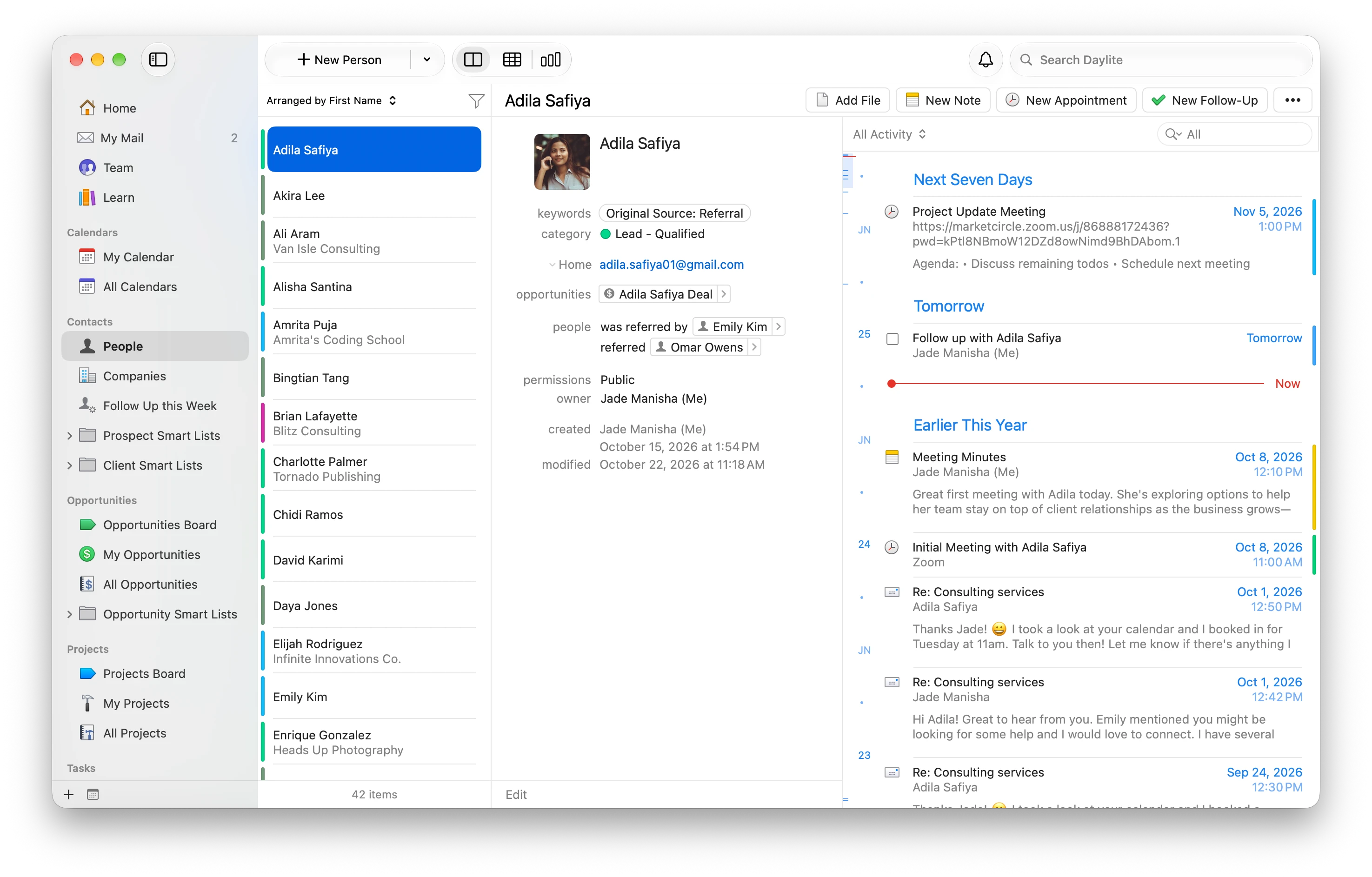
Your business system belongs in your Dock, not buried in a browser.
There’s a real difference between software that runs on a Mac and software that’s built for one. Most CRMs run in a browser, Daylite is the only one intentionally built for macOS.
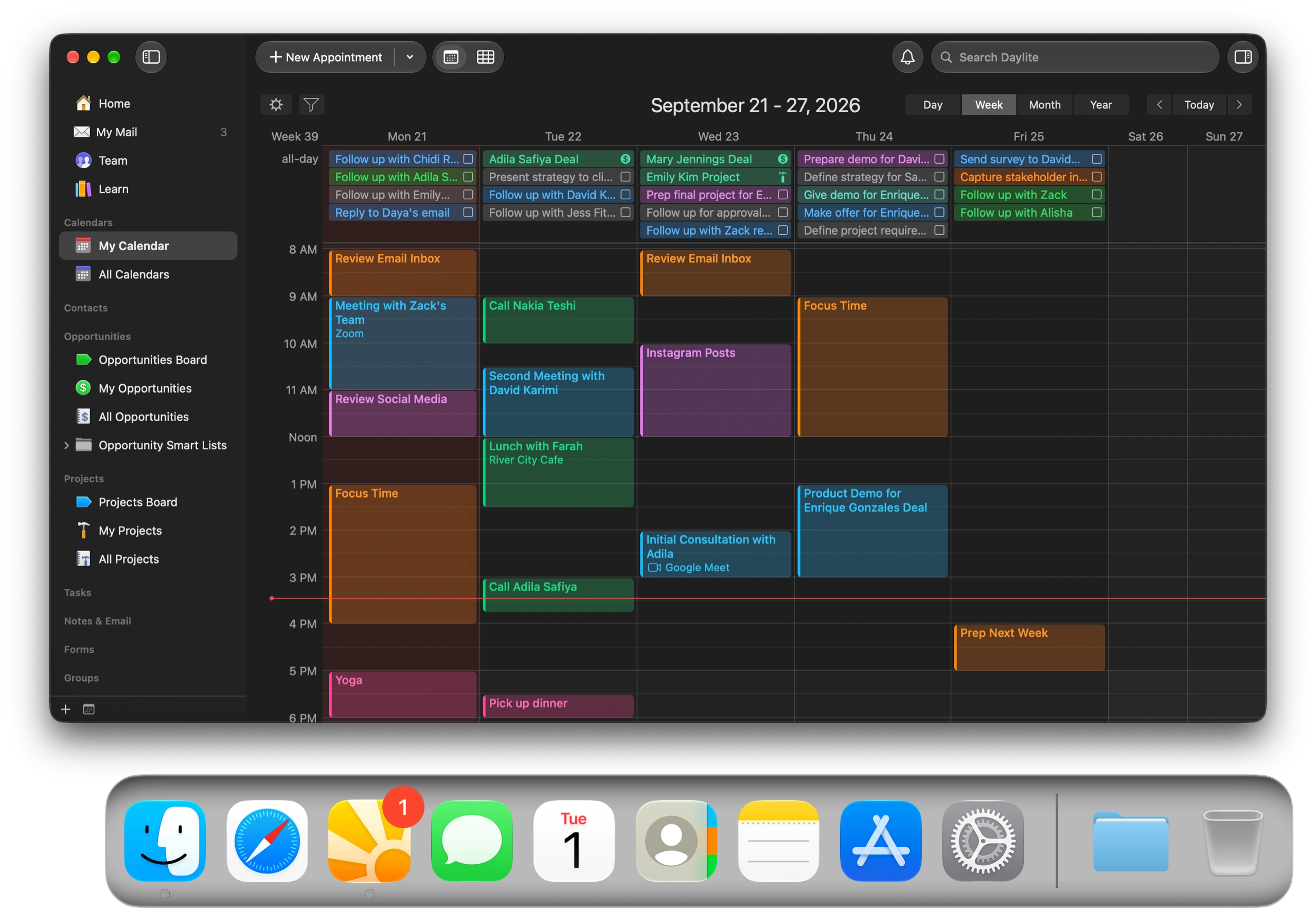
Everything you need from first contact to project completion.
Yes, it’s all in one app. No sprawling web suite. Everything you need to grow and succeed.


Organize everything in one place.
Daylite connects all the things you need to manage and get done: email, calendar, meetings, notes, and tasks. Plus it gives you powerful tools like Pipelines, Smart Lists, and Forms.

Daylite has its own built-in email client, so your inbox lives alongside every other part of your business. Add new leads with a single click, create follow up reminders, start new opportunities, and save attachments to your projects, all without leaving the app.
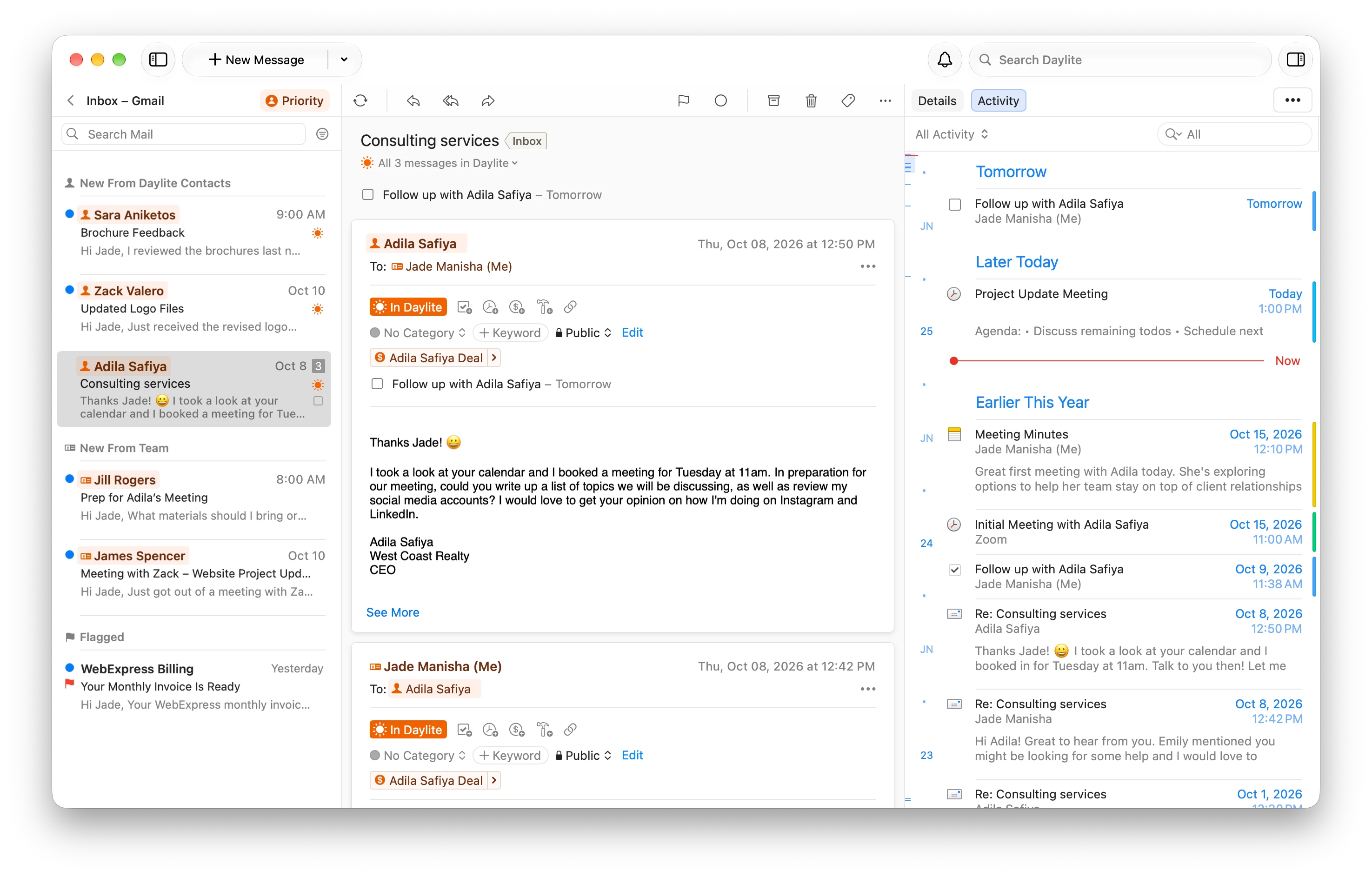

Calendar
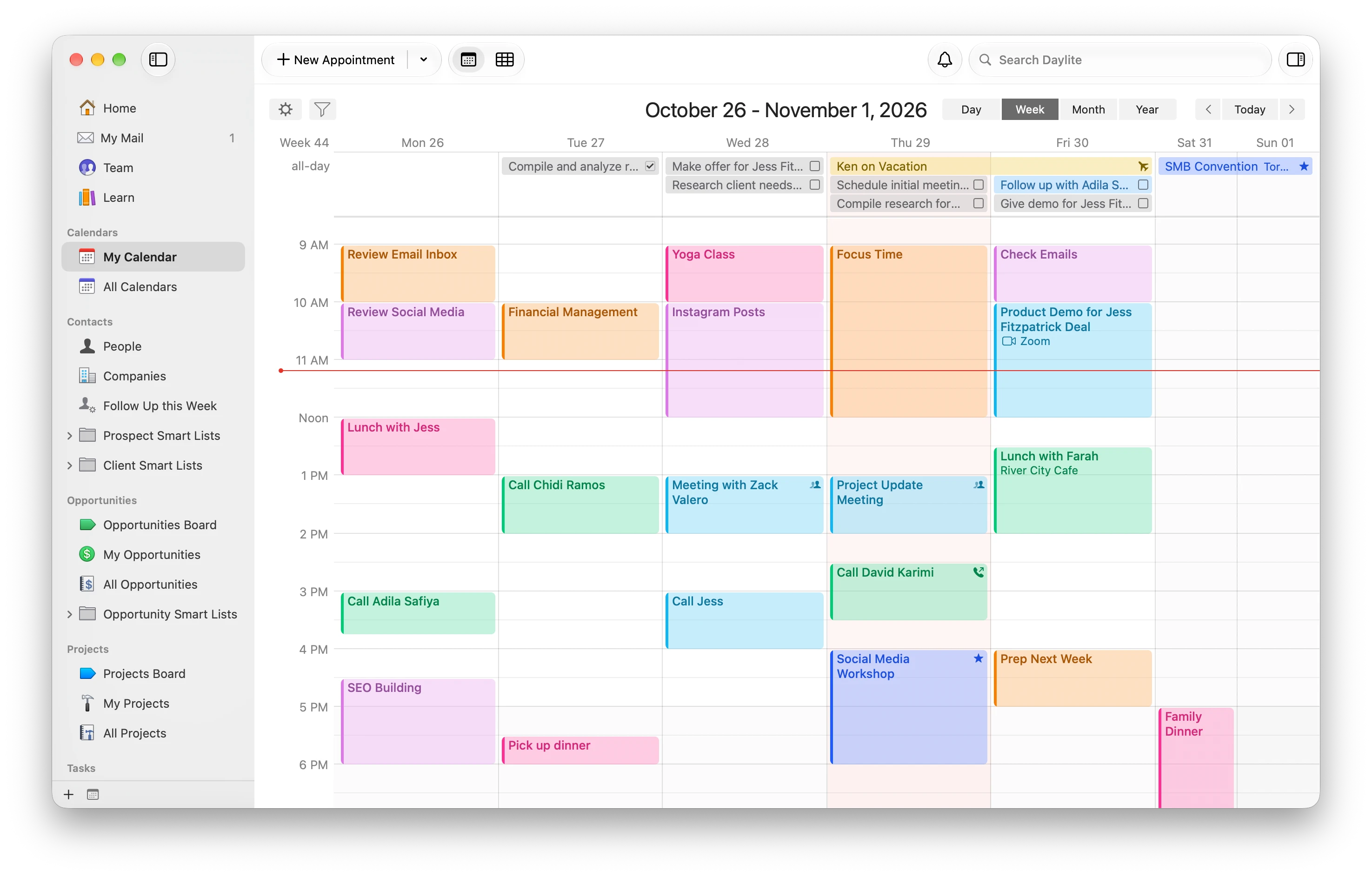
Daylite has a complete calendar that’s integrated with the rest of your business. Link client details and history to your appointments, including emails, meeting notes, tasks, and more, so you always have the context you need. Use Google Calendar? Two-way sync keeps both calendars up to date.

Meetings
With the full context of your client history connected to your appointments, Daylite ensures you're always prepared. Show up to meetings focused, professional, and ready to move work forward. Send customized meeting invites to clients and add Zoom, Google Meet, or Microsoft Teams links.


Notes
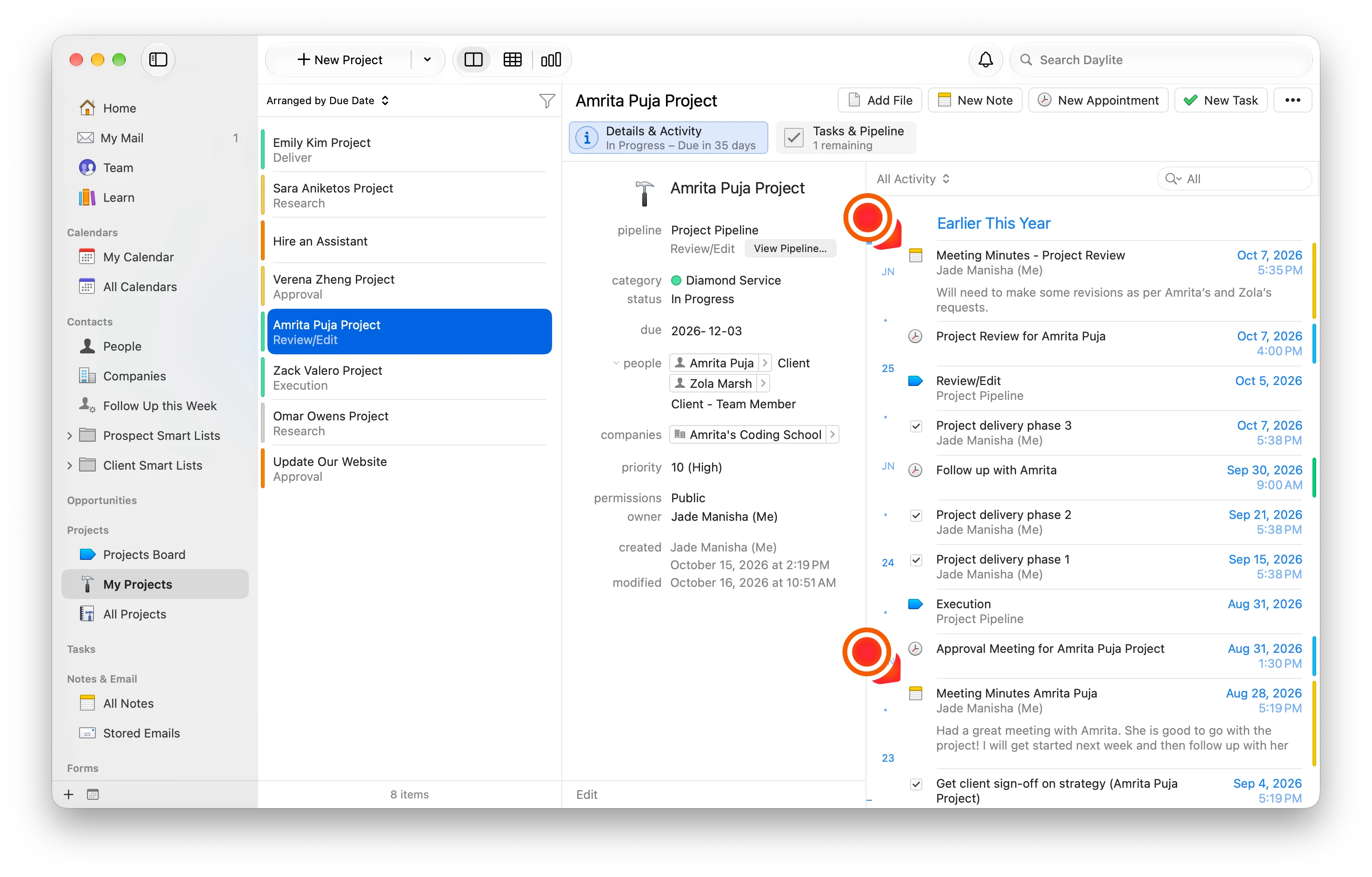
Capture meeting takeaways, project updates, and client insights. Connect notes to the contacts, opportunities, tasks, and appointments they relate to. Every important detail becomes part of your business history, easy to find and ready to turn into action.

Tasks
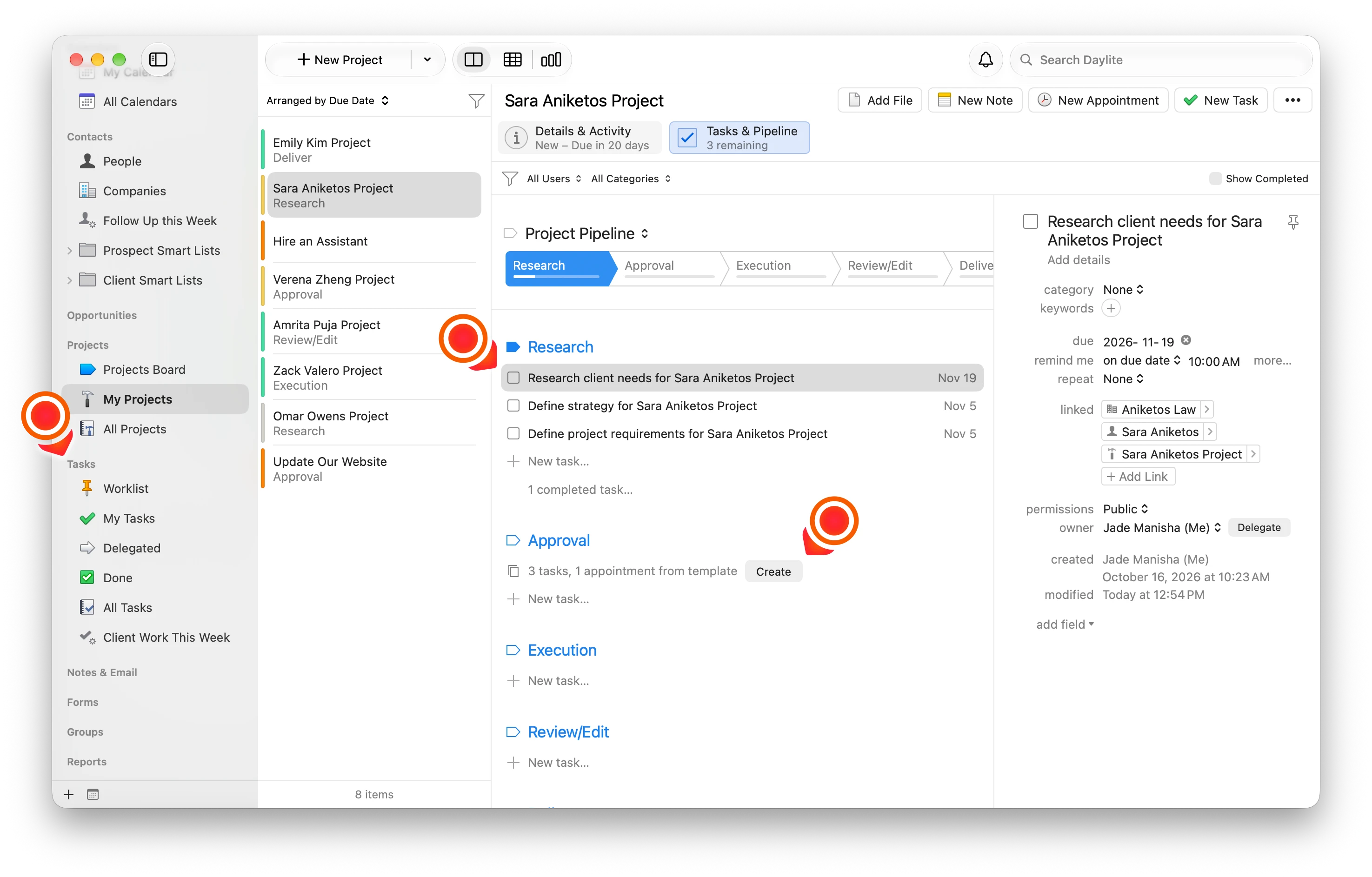
Keep every task connected to the contacts, opportunities, and projects it supports. Daylite helps you stay on top of priorities, follow through on commitments, and keep sales opportunities, relationships, and projects on track. Create checklist templates and add them to your projects.

Smart Lists
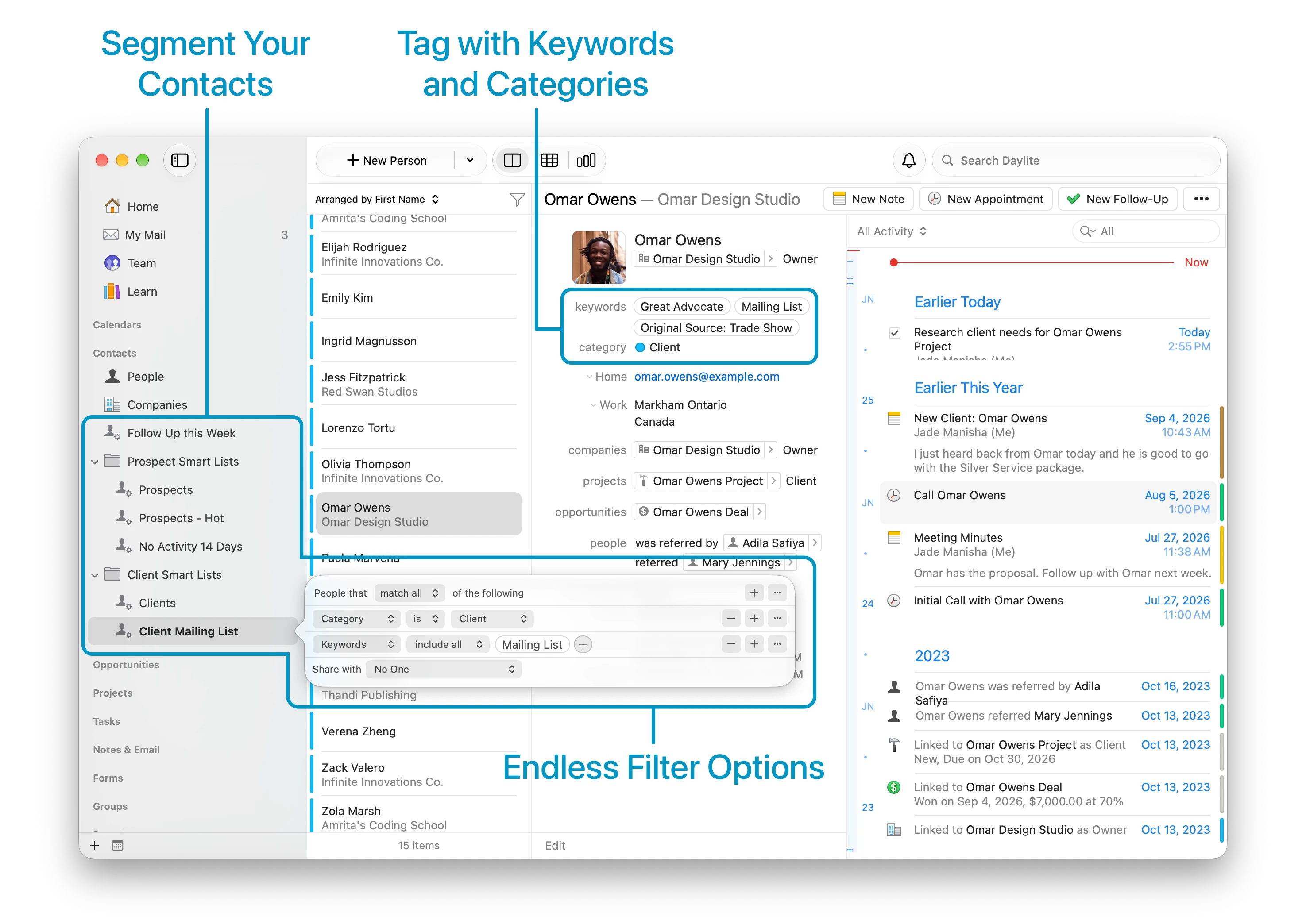
Create dynamic lists of contacts, tasks, opportunities, projects, and more, using custom filters that draw from your connected business information. Smart Lists update automatically as your data changes, helping you find exactly what you need, identify what needs attention, and take action faster.

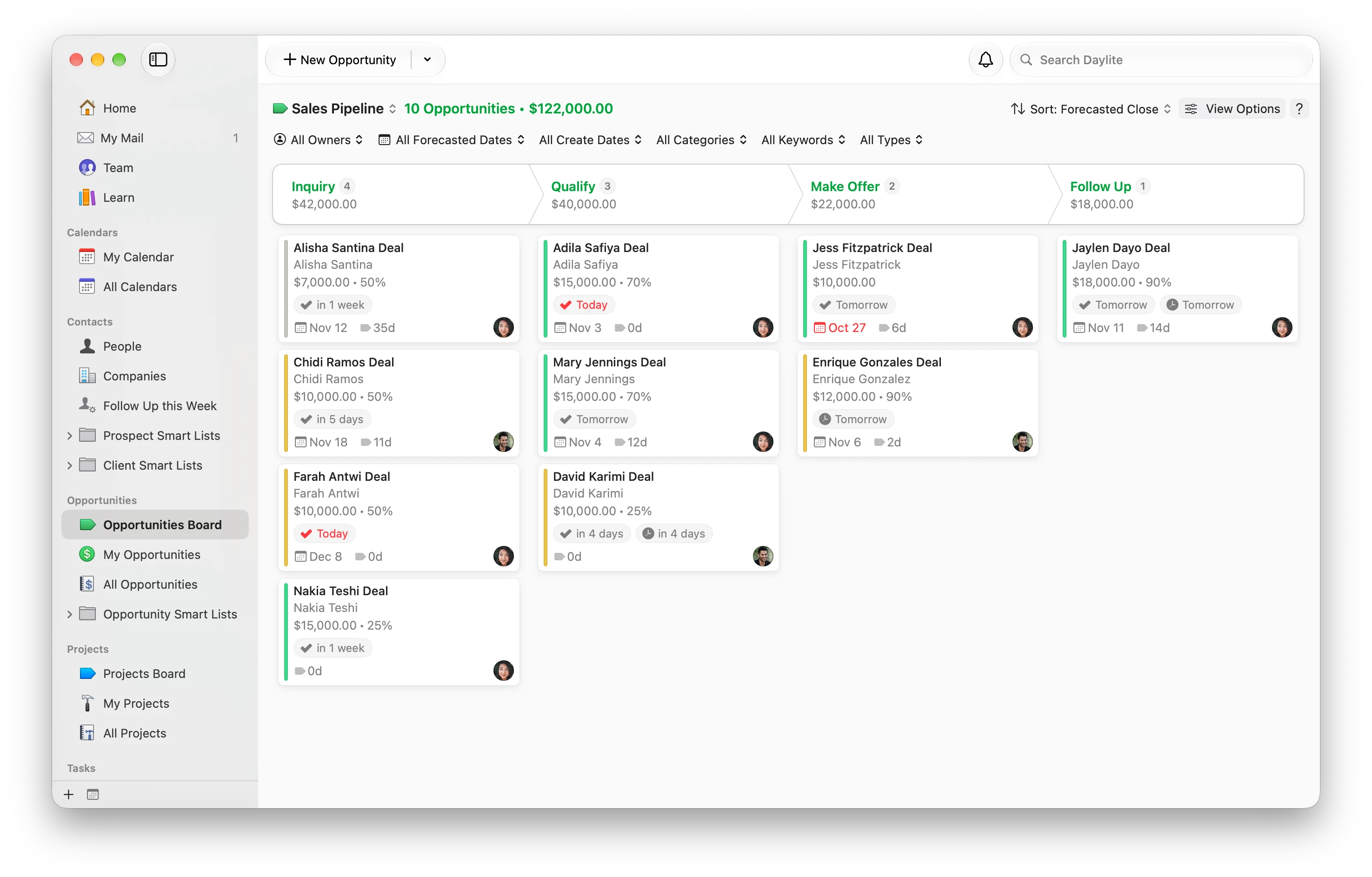
Pipelines
Visualize and manage every stage of your sales opportunities and projects, from first contact to final delivery. Daylite's customizable pipelines and visual pipeline boards help you track progress, see what needs attention, and keep work moving forward.

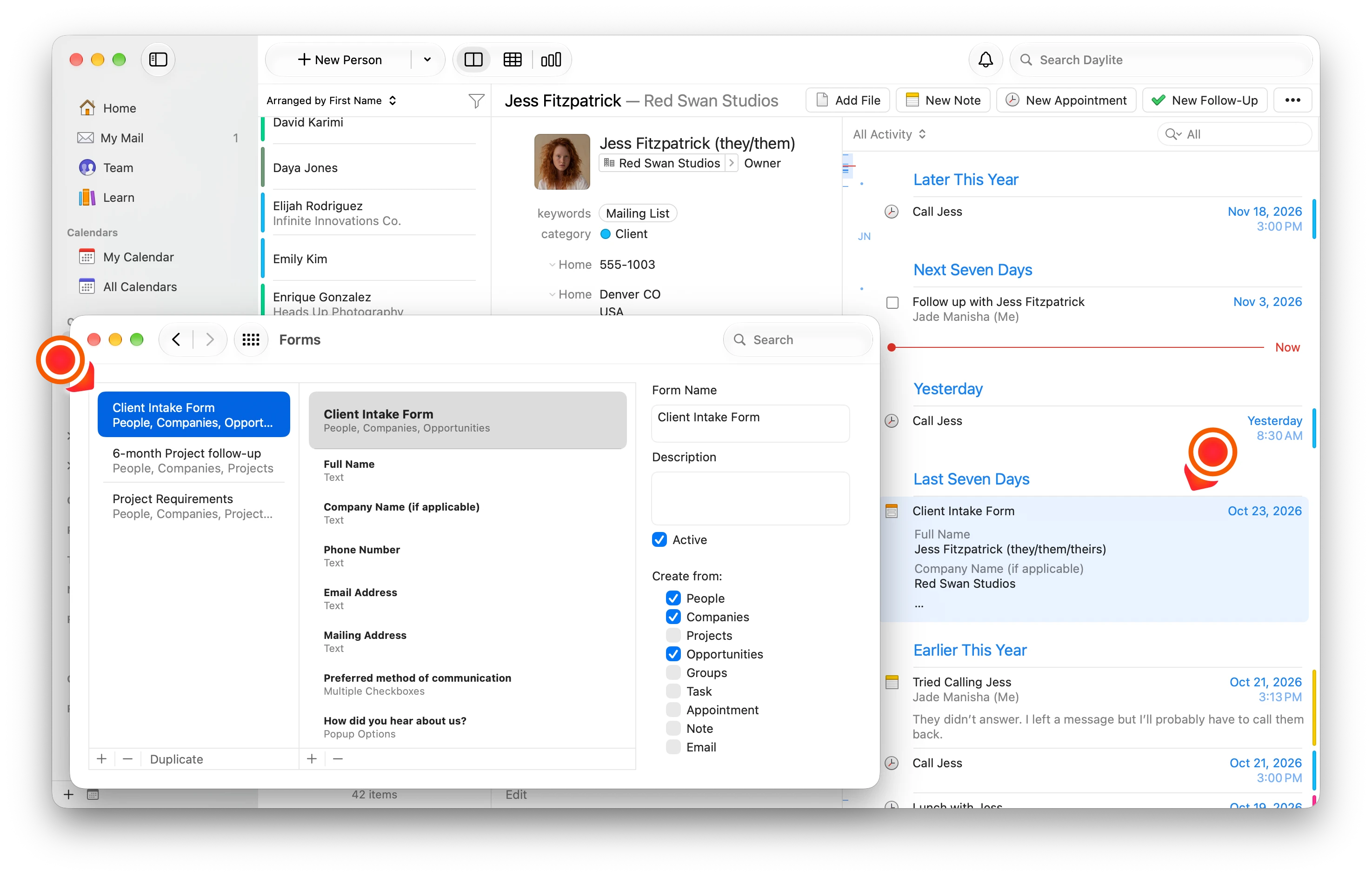
Forms
Create customizable forms to capture client information, meeting notes, project requirements, and more. Daylite keeps every response organized and connected to the right people and projects, making important details easy to find and act on.

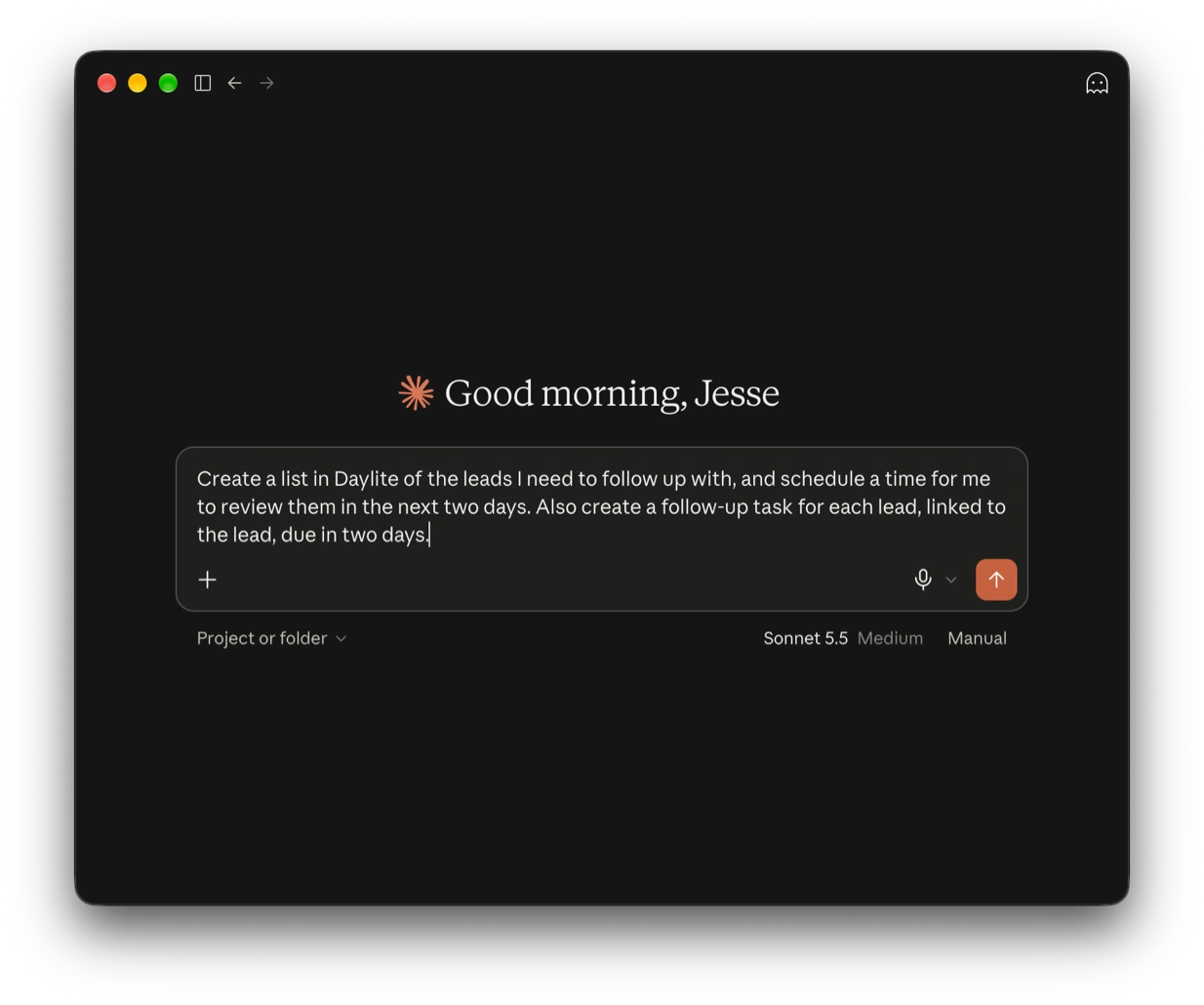
Our goal: make you 5× more productive.
Put your business context to work. Use AI with Daylite to share the workload, focus on the right things, and keep work on track.

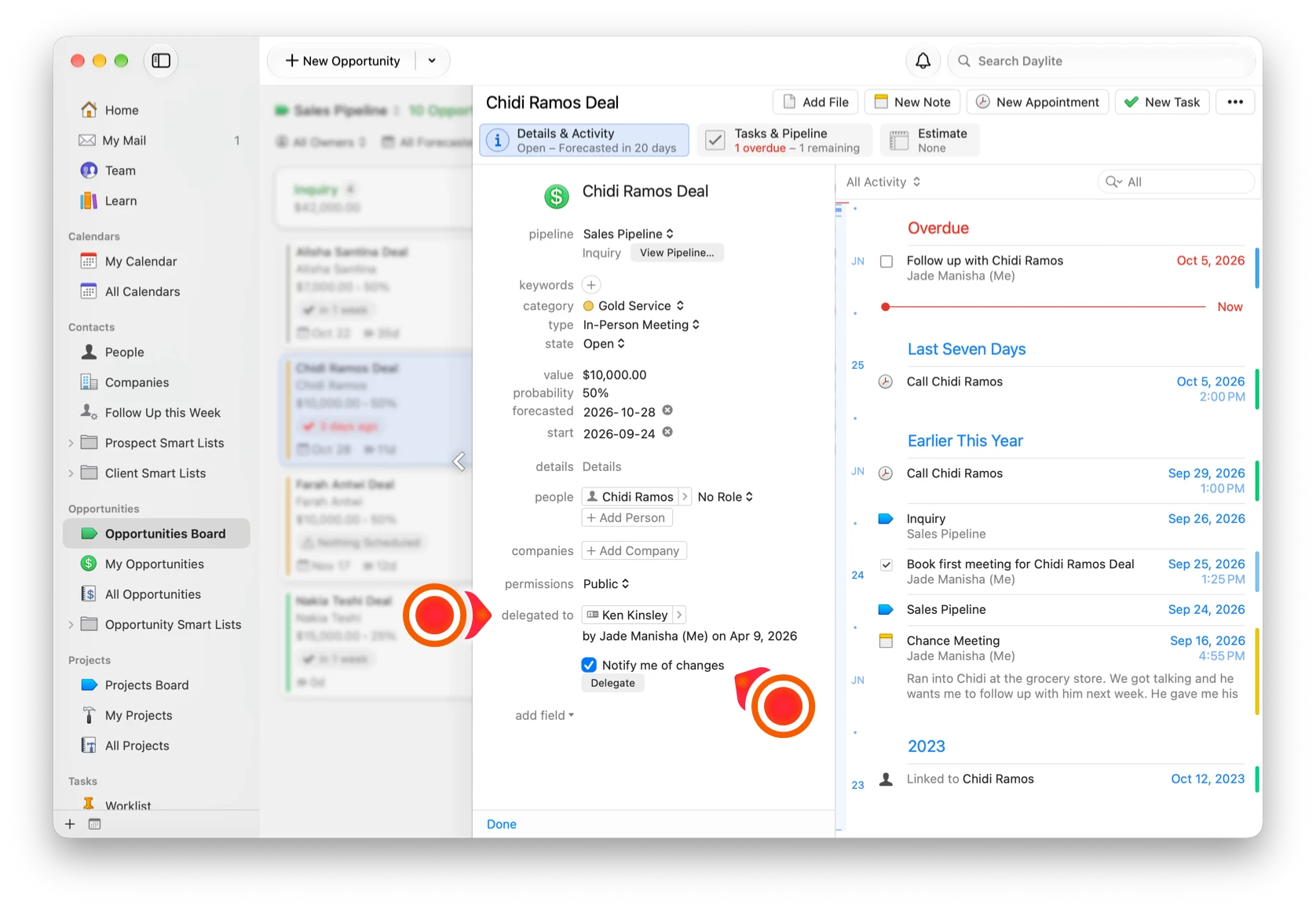
Start solo. Add the team as you grow.
Build Daylite around the way you work. When the team grows, bring people into the same connected system instead of rebuilding the process around them.

Success stories from people like you.
“You want Daylite because you want a program that works, built on a platform that works and that’s been steady for decades. And you want your CRM to sync and integrate with everything you use to run your practice. The last thing you need is to miss a deadline because your CRM isn't informing you as it should.”

“Before Daylite, we were bursting at the seams as far as managing projects went. We couldn’t take on any more. We needed something to streamline how we manage clients, companies, and track all the work for projects – so that we grow, not just sustain our business. That’s what Daylite did for us.”

“I can now run my firm on my iPad or iPhone when I need to, and that’s an invaluable feature when I don’t want to be tethered to a laptop everywhere I go. All of our client information is synced and we are able to thrive as we work outside of the traditional office environment.”

“I usually bring my iPad to court with everything related to my cases. I take notes or create tasks or appointments, and when I’m back in the office, everything is synced with my Mac so I can start working right away.”

“We can check on progress from anywhere we are on whatever device we happen to be using (MacBook, iPad, or iPhone). When we receive a call about a specific property, it’s pivotal we all have accurate and up-to-date information.”

“If I’m on a plane, I can work on 50 Opportunities, and when I hit the ground and connect to Wi-Fi again, all of the emails get sent and all of the Daylite data is synced… If it was just a web app, the ability to work offline wouldn’t exist.”

“With 30-50 weddings a year, I can’t keep track of it all in my head. Daylite holds me more accountable than I could be on my own.”

“We’ve seen amazing growth and Daylite has been a pivotal part of that success by allowing us to really ramp up our capacity and keep track of everything.”

“With Daylite I can manage over 50 clients with a staff of 7 while my competitors would take 20 senior and junior consultants. My clients often wonder how we are always on our game, I tell them I wish I was that smart, but in reality, it’s the software that allows me to be one step ahead of them!”

“Daylite has allowed us to increase our volume of business while still maintaining the high level of service our customers have come to expect.”