Why Daylite

.svg)
Resources

Most CRMs merely run in your browser. Daylite is the only one truly built for macOS—with built-in email, full offline access, and a connected experience across Mac, iPhone, and iPad. It's fast in a way a browser tab will never be.


Almost every CRM on the market is merely Mac-compatible: it opens in Safari or Chrome, which technically works—until it doesn't. Tabs multiply until your pipeline is buried among twenty others, notifications live inside a browser you've probably muted, and the moment your Wi-Fi drops—on a flight, in a parking garage, at a client site with bad reception—the whole thing simply stops.

.svg)

.svg)
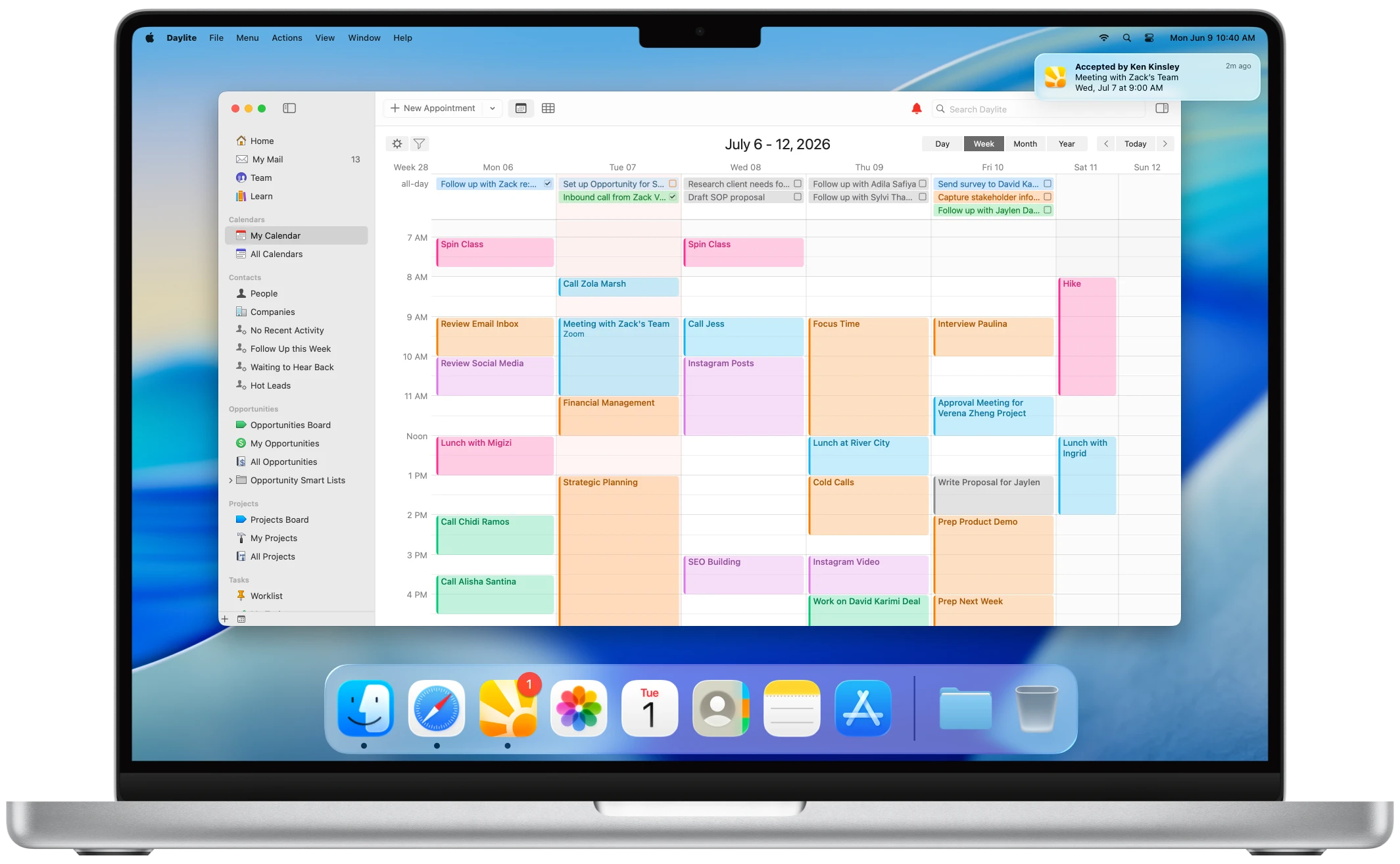
A truly native CRM is different all the way down. It's built with Apple's own frameworks—AppKit and SwiftUI, the same tools behind Apple Mail, Calendar, and Finder. It respects your keyboard shortcuts, sends real macOS notifications, and keeps working when the internet doesn't. It looks and behaves like software made for your machine, because it was.
Built from the ground up for Apple users, Daylite brings the power of a complete business system into a truly native Mac experience, making it the clear choice for businesses looking for a native CRM for Mac.
For more than two decades, Marketcircle has focused exclusively on Apple, building Daylite in a way Mac users expect a native app to look and work, rather than adapting it to fit multiple operating systems.
“But it has a desktop app,” you might say. Look closer and most of those apps are Electron wrappers—meaning you get an icon in your Dock, but underneath, it's just a web app inside a Mac window. It’s convenient for the software developer, but has heavier memory use, slower performance, non-standard menus, and an experience that never quite looks or feels at home on your Mac. Because, ultimately, it wasn’t built for your Mac.


Daylite lives in your Dock, as its own app, giving you a dedicated workspace that doesn't get buried in your browser tabs.

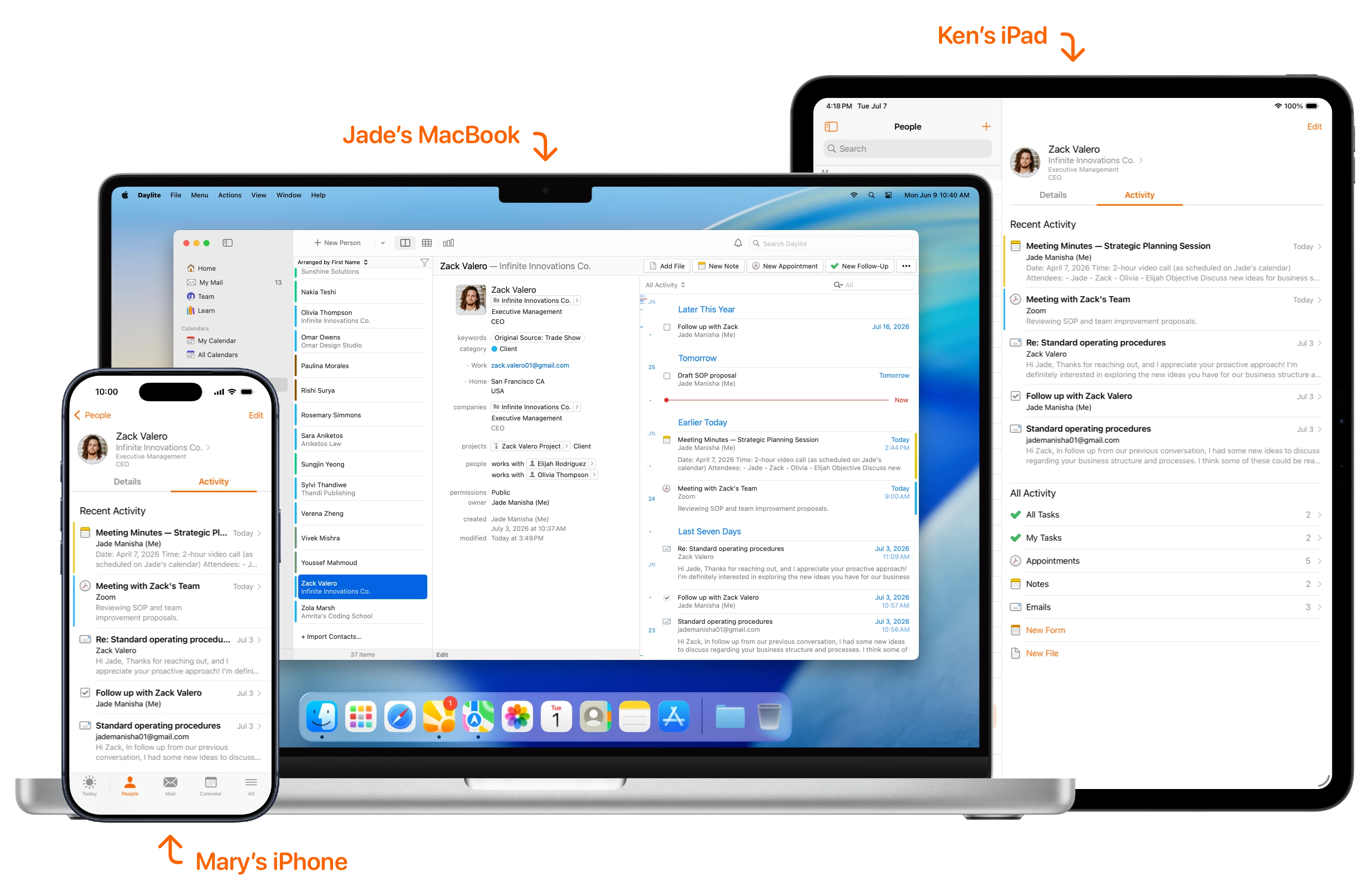
Daylite's own cloud system keeps every device in sync—keeping everything connected and up to date across Mac, iPhone, and iPad.
.svg)
Find any client, deal, or note with fast, keyboard-driven search built right into Daylite—no browser or loading delay.

Reminders that actually reach you, while familiar keyboard shortcuts help you move through your work faster.

Work from a plane, a client site, or anywhere Wi-Fi is unreliable. Everything syncs automatically when you reconnect.

Daylite is a true Mac app, designed to perform naturally in the macOS framework, not a web app re-packaged for the desktop.
Picking the right tool starts with understanding what it’s actually built for. Matching the tool to your workflow is key, and if you're at home on a Mac, you're going to want a tool that's at home on a Mac.
Daylite
Pipedrive
HubSpot
Salesforce
Zoho
monday.com

A web-based CRM mainly centered on sales pipelines and deal management. Its experience remains sales-led, rather than built around a connected view of client and business history—the kind that tends to drive repeat business and referrals.
A broad platform connecting marketing, sales, and service around a central CRM. Its extensive features and growing costs can be more than smaller teams need.
A browser-based CRM built for complex requirements and extensive customization. That flexibility often comes with significant setup and administration that smaller businesses, especially those in the Apple ecosystem, simply don’t need.
A web-based ecosystem spanning individual apps for CRM, finance, support, operations, and more. Its connected applications cover a lot of ground, but the experience is built around a suite of tools rather than a native Mac workspace.
A web-first work platform built around configurable boards and workflows. Its flexibility requires businesses to shape and customize their own system rather than work from a CRM built specifically around relationships and client work.
A complete business system built specifically for Apple-first small businesses. Daylite connects client relationships, email, sales, projects, tasks, and calendar into one cohesive workspace, bringing everything together in one place.
A sticker price is easy to compare. The real cost of a web-based CRM shows up later, in the small frictions that repeat every single day. A few seconds waiting for a page to load. A record you can't open because you're in an elevator. A reminder that fired inside a browser tab you closed hours ago. None of these feel like much in isolation—but multiply them across a team, across a year, and they add up to real lost hours and, worse, dropped follow-ups.
There's a context-switching cost, too. When your CRM lives in one of forty browser tabs, it competes for attention with everything else on the internet. You go to log a call and forty minutes later you're reading the news. A native app in your Dock is a single, purposeful place—open it, do the work, close it. You can work in a flow state when nothing else is competing for your attention
Start a proposal at your desk, log the call from your iPhone, present the pipeline on an iPad at the client's office, and AirDrop the signed contract before you leave—one continuous workflow, no re-entry.
Because Daylite runs natively on all three devices and keeps them in sync through its own sync system, what you change on your Mac is already on your iPhone by the time you reach the elevator.

Daylite is built for Apple-first service businesses where strong relationships and consistent follow-through drive growth. These are businesses that succeed by earning trust, staying attentive to the details, and delivering a personal level of service. While that describes many small businesses, Daylite has become especially valuable across a handful of industries.

Leads arrive at midnight; showings, inspections and closings never stop.
.svg)
~ Breanne Martin Gaudard • RE/MAX First

Compliance-heavy work means every note, record, and follow-up has to be airtight.
~ Al McDonald • Life and Legacy Advisory Group

Complex client work means every project, support request, and account detail needs to stay connected.
~ Ron Gersh • The CCS Group

Juggling shoots, bookings, and timelines, all while you're behind the lens.
~ Nisha Ravji • Wedding Photographer
Daylite isn't for large enterprises needing hundreds of seats, or teams standardized on Windows and Android. Daylite is the best CRM for Apple users.
Download Daylite from the Mac App Store in a single click (or maybe two)—no sales call, no demo gate. Import your existing contacts from Apple Contacts or a CSV, then set up your first pipeline: name your stages, drag in a few opportunities, and you're ready to start tracking deals.
Your free trial includes the full Daylite experience, so you can explore how email, calendar, contacts, sales, projects, and tasks work together—and see how Daylite is the best CRM for Mac.
Starting a CRM can feel daunting, especially when years of contacts, notes, conversations, and business history live across different apps, notebooks, and spreadsheets. But bringing your business into Daylite doesn't have to happen all at once — as you add contacts, track follow-ups, schedule appointments, and take control of your email in Daylite, you'll quickly see your client history come together, giving you a clearer, more organized view of your business.
Prefer a little guidance? The Daylite team is easy to reach for one-on-one support, whether you want a personalized demo, help getting set up, or an onboarding call to make sure Daylite fits the way your business works. Industry templates provide a foundation for building tailored workflows, and for businesses with more complex requirements, established systems, or larger amounts of data to migrate, Daylite Experts are available to help with more advanced setup, customization, and migration.

Find answers to common questions about Daylite. Feel free to contact our team if you have further questions.